Get a Quote
Learn how frontend development improves website speed, user experience, responsive design, accessibility, and business conversions.
Frontend development shapes the very first impression a business makes online. It is the layer users see, touch, and interact with — and it plays a decisive role in whether a visitor stays, explores, or leaves. As expectations for speed, responsiveness, and accessibility continue to rise, businesses can no longer treat frontend development as an afterthought. A well-built frontend blends design, performance, and usability into a seamless experience that builds trust from the first click.
Building Responsive Experiences Across Every Device
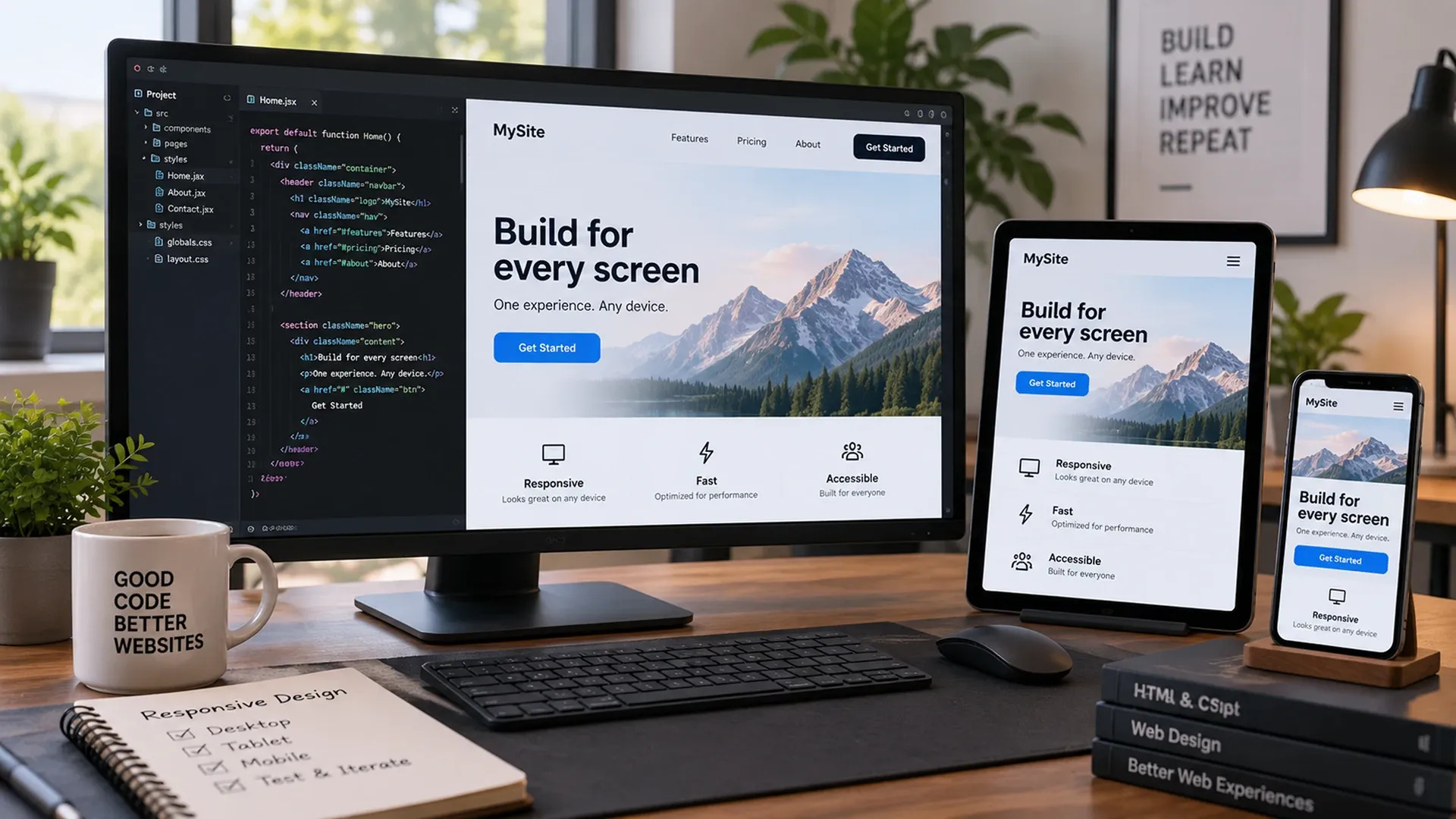
Today's users move fluidly between phones, tablets, and desktops, often within the same session. A responsive frontend ensures that layouts, images, and interactions adapt naturally to any screen size without sacrificing usability. This isn't just about resizing elements — it requires thoughtful planning around touch targets, navigation patterns, and content hierarchy so that every version of a website feels intentional rather than compressed.
Common Breakpoints Used in Responsive Design
Device | Typical Width | Common Breakpoint |
|---|---|---|
Mobile | 320px – 480px | max-width: 480px |
Tablet | 481px – 1024px | max-width: 1024px |
Desktop | 1025px and up | min-width: 1025px |
A simple media query keeps layouts intact as the viewport shrinks:
@media (max-width: 768px) {
  .container {
    flex-direction: column;
    padding: 16px;
  }
}
Businesses that invest in responsive design see fewer bounce rates and stronger engagement, simply because visitors are not forced to fight with a broken layout.
Designing for Clarity and User Experience
A frontend can be technically fast and still fail if it confuses the people using it. Strong user experience design focuses on clear navigation, predictable interactions, and visual hierarchy that guides visitors toward the actions that matter most, whether that's making a purchase, filling out a form, or exploring a product. Small details — button placement, spacing, load states, and error messages — shape how confident a user feels while browsing. These decisions overlap heavily with dedicated UI/UX design work, which is why the strongest frontends are usually built alongside a clear design system rather than bolted onto one after the fact.
When frontend teams prioritize clarity over complexity, users spend less time figuring out how a site works and more time engaging with its content, which directly influences conversion rates and how trustworthy a brand appears online.
Why Frontend Performance Cannot Be an Afterthought
Frontend performance is one of the most measurable factors in modern web development, and its impact reaches far beyond user patience. Slow-loading pages increase bounce rates, hurt search rankings, and quietly erode revenue over time — a reality Google made explicit with Core Web Vitals, which turned load speed, interactivity, and visual stability into concrete ranking signals. A handful of practices consistently make the biggest difference:
- Code splitting so users only download what a page actually needs
- Image optimization and modern formats like
WebPorAVIF - Lazy loading for below-the-fold content and offscreen assets
- Efficient state management that avoids unnecessary re-renders
Performance work is rarely glamorous, but it compounds:
A site that loads in under two seconds consistently outperforms slower competitors in both retention and conversion.
Making the Web Usable for Everyone
Accessibility is often overlooked until it becomes a legal or reputational issue, but it should be considered from the earliest stages of frontend development, guided by established standards like the Web Content Accessibility Guidelines (WCAG). A genuinely accessible frontend typically includes:
- Semantic HTML that gives assistive technology meaningful structure
- Sufficient color contrast between text and background
- Full keyboard navigation for every interactive element
- Descriptive labels and alt text for screen-reader users
Accessible frontends also tend to be more maintainable and search-friendly, since many accessibility best practices overlap directly with clean, well-structured code. Rather than treating accessibility as a compliance checkbox, forward-thinking businesses use it as a design principle that improves usability for every visitor.

Bringing It All Together
Frontend development sits at the intersection of design, engineering, and business strategy. It determines how fast a page loads, how easily a user can navigate it, and how confident that user feels taking the next step. Businesses that invest in responsive layouts, thoughtful user experience, strong performance, and genuine accessibility create frontends that support growth rather than limit it. None of this happens in isolation — a fast, accessible interface still depends on solid backend development to deliver data quickly and reliably, which is why our backend development guide is a natural next read. As user expectations continue to rise, frontend quality is no longer just a technical concern — it is a direct reflection of how seriously a business takes its customers' experience online.