Explore how IM Digital designed and built the Next.js and TypeScript frontend for KVM Generator's internal operations dashboard, giving office staff one fast, consistent daily interface.
Project Name
KVM Generator
Category
Web & App Development
Services
Frontend Development
Project Overview
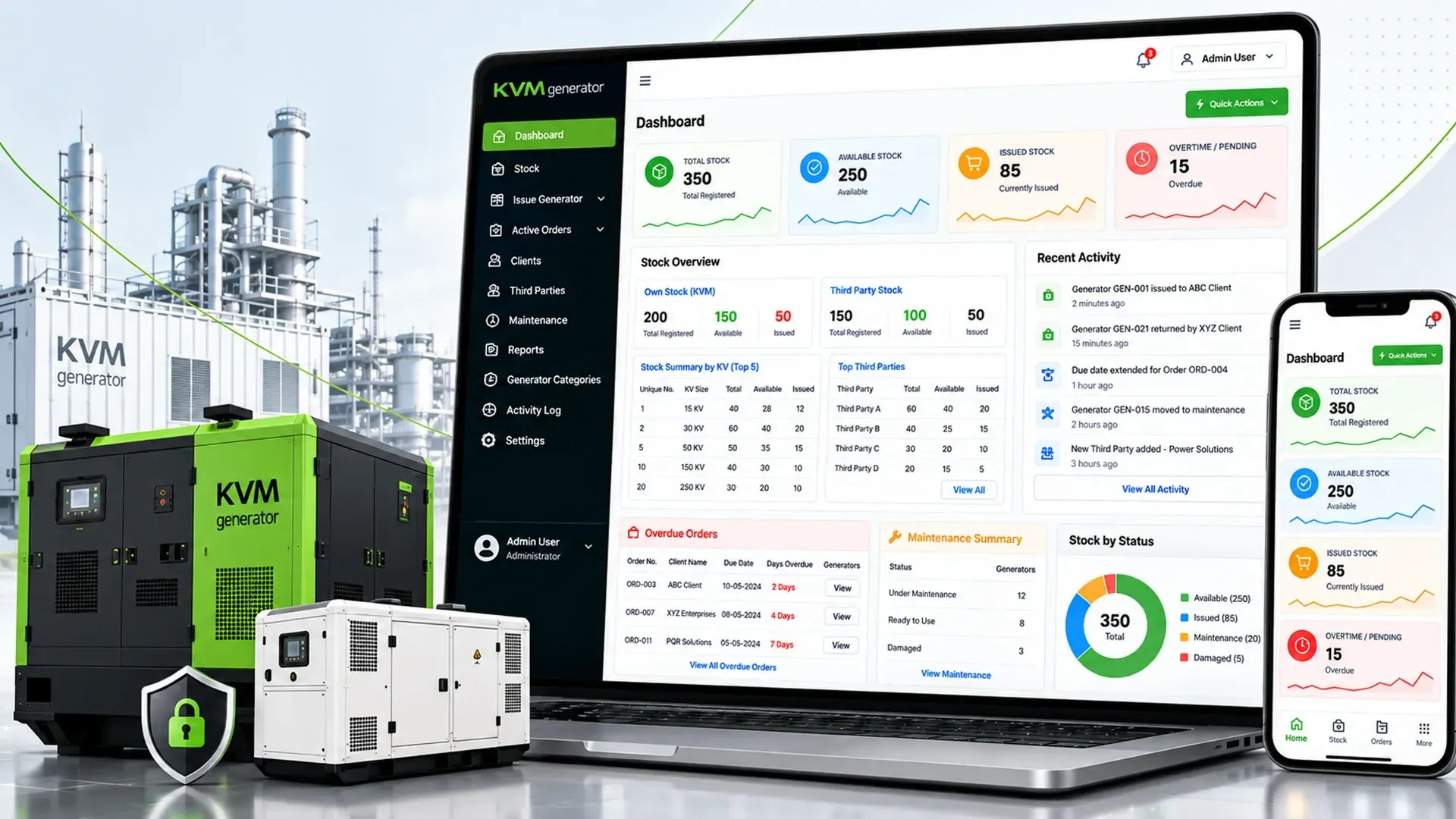
KVM Generator runs a generator rental business spanning genset capacities from 15 KVA to 1000 KVA, with roughly 150 owned units supplemented by third-party units on demand. Office staff previously tracked stock and rentals through manual processes. IM Digital built the frontend for their internal operations dashboard using Next.js and TypeScript on a Payload CMS 3 backend, giving the team one responsive interface for daily work, covering Dashboard, Stock, Issue Generator, Active Orders, Clients, Third Parties, Maintenance, Reports, and a restricted Settings area, backed by reusable components built for fast, mistake-resistant office use.
Project Summary
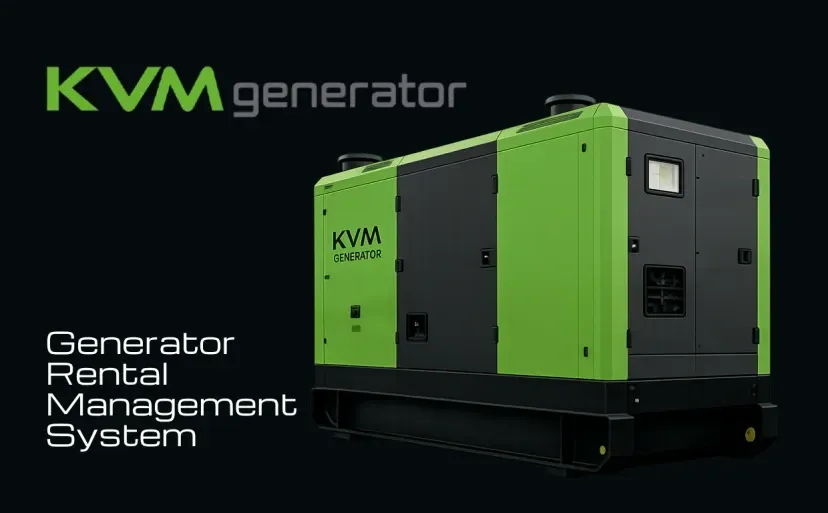
IM Digital delivered the complete frontend for KVM Generator's rental operations dashboard, turning manual stock and rental tracking into one structured, responsive Next.js interface for staff.
KVM Generator needed office staff to run daily rental operations, covering roughly 150 owned generators from 15 KVA to 1000 KVA plus third-party units, from one interface instead of manual processes. The goal was a responsive dashboard for checking stock, issuing and tracking orders, managing clients and third parties, logging maintenance, and pulling reports through consistent pages built for everyday use.
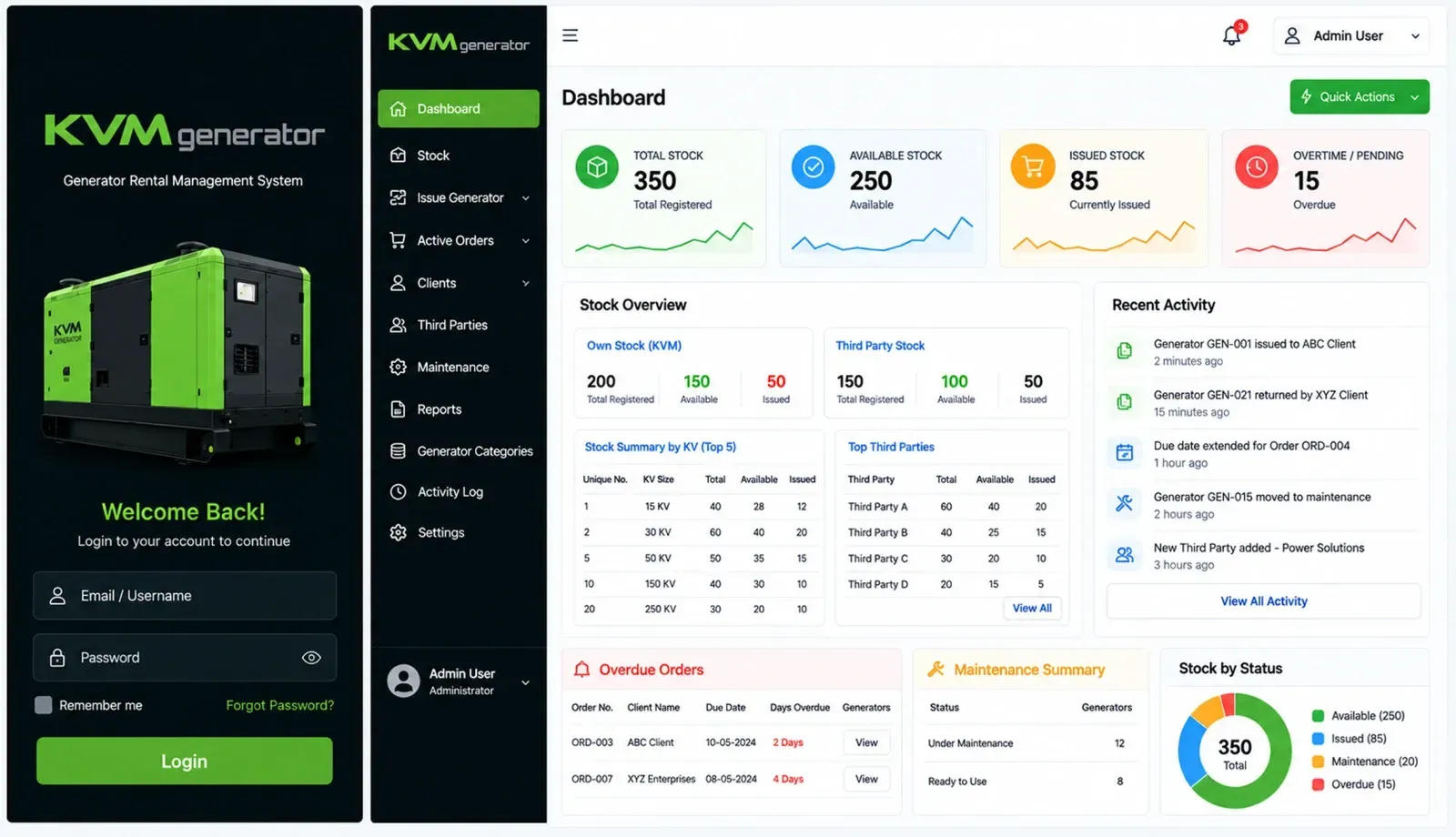
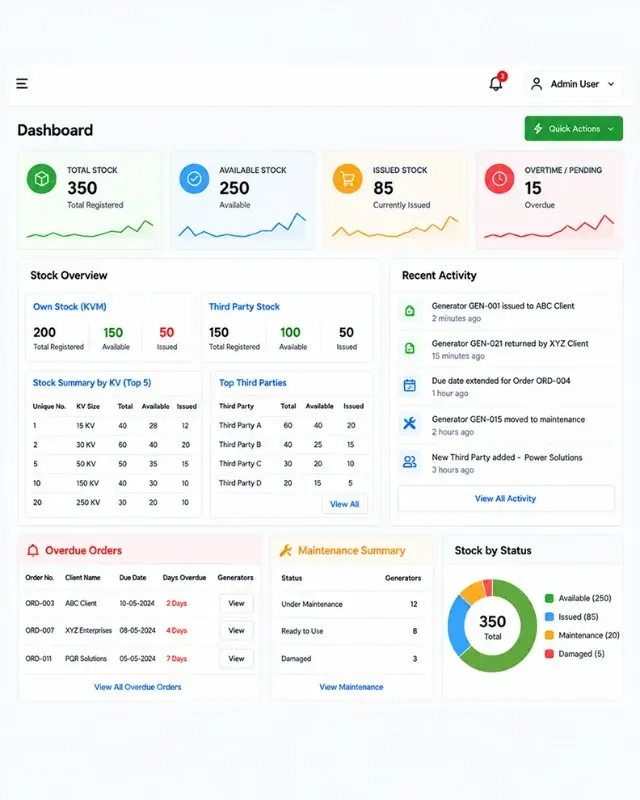
IM Digital mapped navigation for Dashboard, Stock, Issue Generator, Active Orders, Clients, Third Parties, Maintenance, Reports, and Settings, matching each menu item to a real daily rental task.
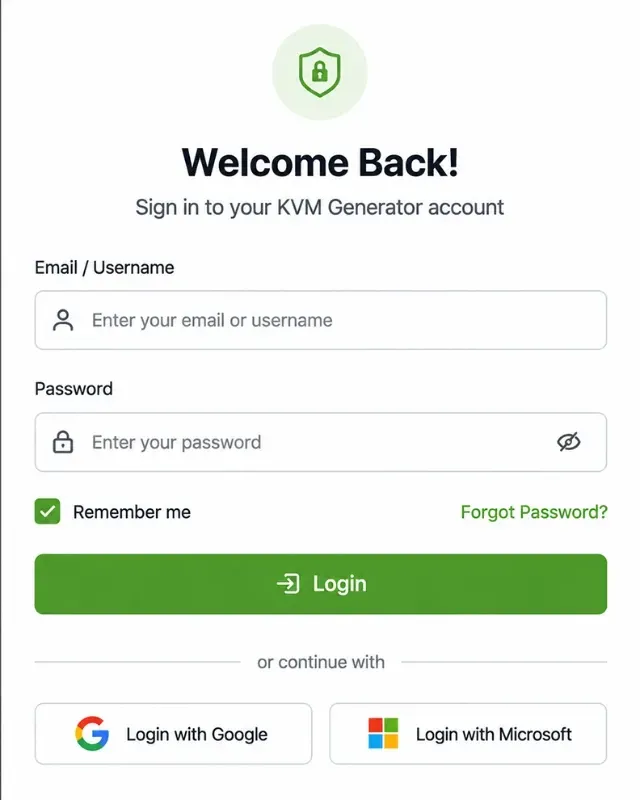
Login, Dashboard, Stock, Issue Generator, Order Detail, Clients, Third Parties, Maintenance, and Reports pages were built with the tables and filters staff needed for daily rental operations.
A shared library of sidebar, top bar, KPI cards, status chips, data tables, filter bars, modals, toasts, and skeletons kept every screen visually and behaviourally consistent across the dashboard.
Layouts were refined for desktop-first office use with tablet and mobile support, adding accessible status text, keyboard focus, empty states, and collapsible navigation for smaller screens.
Service Delivered
IM Digital delivered full frontend development for KVM Generator, building every dashboard page, navigation flow, and reusable component needed to run rental operations from one responsive interface.
Service Showcase
From the Dashboard's KPI cards to the Issue Generator flow and Active Orders screen, the interface gives office staff clear, consistent tools for managing rentals every single day.
Whether you need scalable software development, AI integration, SEO optimization, or complete digital transformation, our team is ready to help your business grow globally.
Business Challenge
KVM Generator manages roughly 150 owned generators from 15 KVA to 1000 KVA, plus third-party units on demand, through office staff running daily rental operations. Before this build, that work relied on manual, disconnected processes, with stock checks, order tracking, client records, and maintenance logs spread across separate habits rather than one system. Finding an available unit by KVA or ID took longer than it should, forms varied from task to task with little validation, and there was no shared interface built for daily office use. IM Digital's job was to build a frontend unifying this into one responsive, consistent, mistake-resistant dashboard for desktop and tablet.
Without a dedicated interface, office staff tracked which of the roughly 150 generators were available, issued, or overdue through manual processes that slowed down daily rental decisions.
Stock levels, active orders, client details, and maintenance records lived across separate habits and records instead of one place, making routine operational checks slower than they needed to be.
Without standardised forms, tasks like registering a generator or adding a client lacked consistent labels, required-field cues, or validation, raising the risk of mistakes during busy office hours.
Locating the right available unit among roughly 150 owned generators spanning 15 KVA to 1000 KVA, plus third-party stock, took longer without dedicated search, filter, and sort tools.
Office tools were not built for tablet or mobile use, making it harder for staff to check stock, review order status, or confirm a return away from a single fixed desktop workstation each time.
Strategic Approach
IM Digital mapped KVM Generator's rental workflow into a navigation structure covering Dashboard, Stock, Issue Generator, Active Orders, Clients, Third Parties, Maintenance, Reports, and Settings. Each core page, from the Dashboard's KPI cards to the Issue Generator's multi-step flow, was designed around the information staff needed. A reusable component library, including the sidebar, KPI cards, status chips, data tables, filter bars, and modals, kept every screen consistent. Forms across Register Generator, Add Client, and Return Generator shared one validation pattern, while search, filter, and pagination were added across lists, in a desktop-first layout adapted for tablet and mobile.
The Dashboard, Stock, Issue Generator, Active Orders, Clients, Third Parties, Maintenance, Reports, and Settings sections were structured around real daily rental tasks, so staff could reach any function in a few clicks.
Dashboard, Stock, Issue Generator, Order Detail, Clients, Third Parties, Maintenance, and Reports pages were each built with the KPI cards, tables, filters, and summaries relevant to that stage of the rental process.
A shared library, including the sidebar, top bar, breadcrumb, KPI cards, status chips, data tables, filter bars, modals, toasts, and an activity timeline, gave every screen the same visual language and behaviour.
Register Generator, Add Client, Add Third Party, Extend Due Date, Return Generator, and Remove Generator dialogs all share clear labels, inline validation, a disabled save action while submitting, and success or error toasts.
Operational lists gained search, filter, sort, and server-side pagination by generator ID, order number, client, phone, KVA, and owner, paired with colour-plus-text status chips and meaningful empty states.
The desktop-first layout was extended with a collapsible sidebar, wide tables that convert to horizontal scroll or compact cards, and accessible, keyboard-friendly status text for tablet and mobile office use.
Result
The new frontend gave KVM Generator's office team a faster, more consistent way to manage rentals, cutting manual work and making everyday dashboard tasks quicker and less error-prone.
-40%
Order Processing Time
-35%
Data Entry Errors
+50%
Generator Lookup Speed
-30%
Staff Onboarding Time
Whether you need scalable software development, AI integration, SEO optimization, or complete digital transformation, our team is ready to help your business grow globally.
Explore more software, AI, SEO, and digital marketing projects where we've helped brands achieve real, measurable growth.

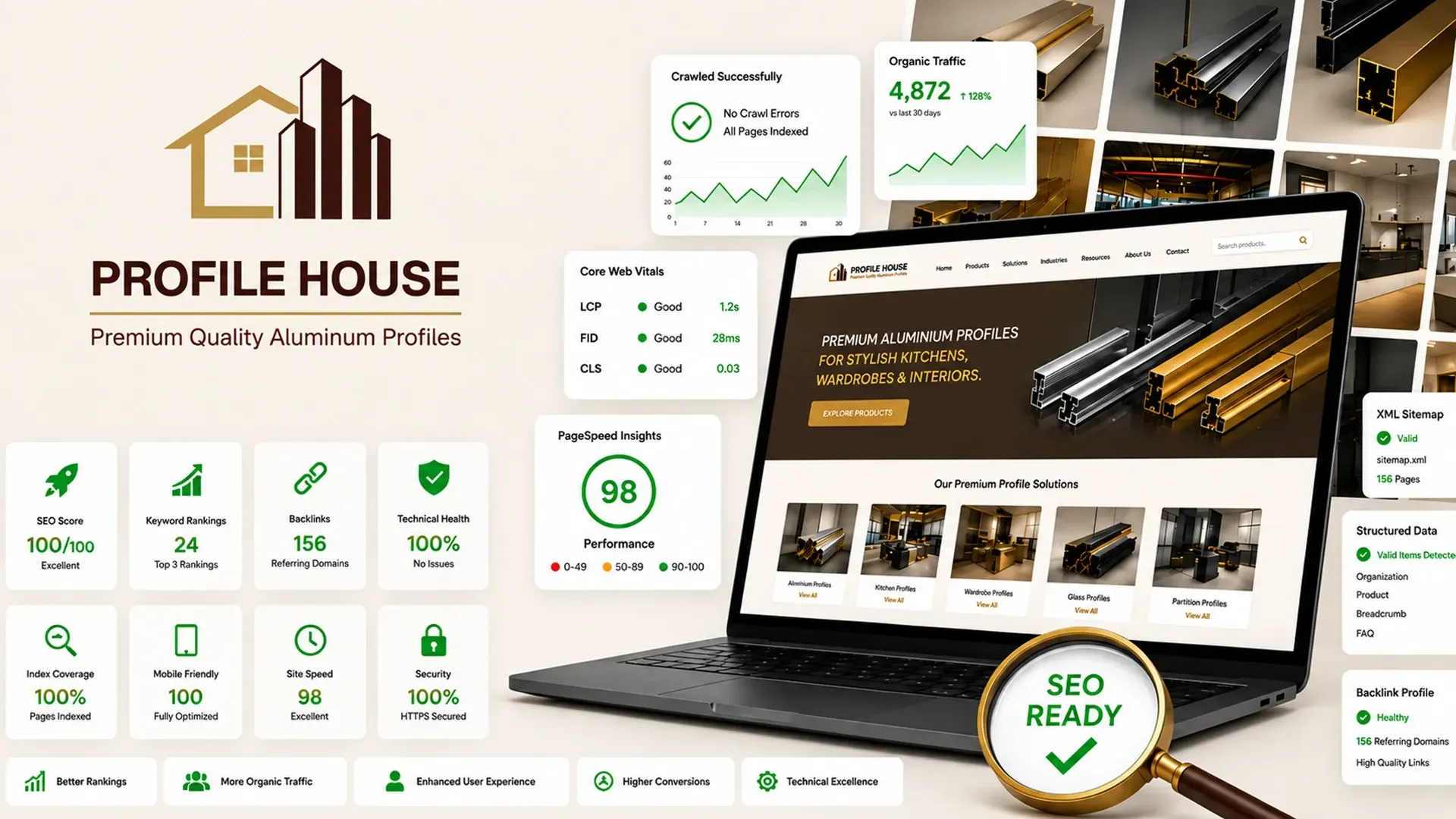
IM Digital rebuilt Profile House's flat product listing into a structured, CMS-driven B2B website with category hierarchy, technical product pages, and intent-based enquiry forms for buyers.
Search Engine Optimization
Search Engine Optimization
How IM Digital rebuilt Profile House's URL architecture, internal linking, redirects, and structured data, turning a flat, unstructured product listing into a fully crawlable B2B platform.
See how IM Digital built a channel-specific social media strategy for Profile House, an aluminium profile manufacturer, converting technical content into qualified architect, dealer and OEM enquiries.
Browse our complete portfolio of digital work across every industry we serve.
Explore Our WorkA rental operations dashboard needs one consistent interface covering stock, active orders, clients, and maintenance, not scattered manual habits. KVM Generator's frontend organizes Dashboard, Stock, Issue Generator, Active Orders, Clients, Third Parties, Maintenance, Reports, and a restricted Settings area, built with Next.js and TypeScript. See Frontend Development for internal tools.
A shared component library keeps a sidebar, KPI cards, status chips, data tables, filter bars, modals, and toasts consistent across every screen instead of rebuilt per page. KVM Generator's dashboard relies on this pattern so new pages inherit the same look and behavior automatically, which also shortened staff onboarding time 30% once every screen worked the same way.
Most internal dashboards need standardized form validation because inconsistent forms are where data entry mistakes start, not where they're caught. Register Generator, Add Client, and Return Generator dialogs in KVM Generator's build all share the same labels, inline validation, and disabled-save-while-submitting pattern, cutting data entry errors 35% across daily rental transactions.
Yes, a desktop-first layout can extend cleanly to tablet and mobile with a collapsible sidebar, tables that convert to horizontal scroll or compact cards, and keyboard-accessible status text. KVM Generator's team gained this flexibility alongside search, filter, and sort tools across every list, lifting generator lookup speed 50% regardless of the device in hand.
Getting started means mapping your team's daily tasks into a navigation structure before designing a single screen, so every menu item matches a real job rather than a guess. IM Digital took this approach building KVM Generator's dashboard on Next.js and TypeScript. Contact our team to plan your own build.

 Get a Quote